> ## Documentation Index
> Fetch the complete documentation index at: https://docs.greip.io/llms.txt
> Use this file to discover all available pages before exploring further.

# Payment Fraud Detection

> Prevent financial losses and protect your business by deploying AI-powered modules that analyze transaction patterns in real-time.

This method helps identify and block suspicious activities, mitigating the risk of fraudulent payments and ensuring a secure experience for both you and your customers.

export const MCPCallout = () => {
  return <div class="callout my-4 px-5 py-4 overflow-hidden rounded-2xl flex gap-3 border border-[rgba(192, 132, 252, 0.2)] bg-[rgba(192, 132, 252, 0.1)] dark:border-[#c084fc4d] dark:bg-[#c084fc1a] text-[#6005BB] dark:text-[#FFFFFF]" data-callout-type="callout">
      <div class="mt-0.5 w-4" data-component-part="callout-icon">
        <svg class="h-4 w-4 !m-0 shrink-0 bg-[#c084fc] [mask-image:url('https://d3gk2c5xim1je2.cloudfront.net/v7.1.0/duotone/fire.svg')] [-webkit-mask-image:url('https://d3gk2c5xim1je2.cloudfront.net/v7.1.0/duotone/fire.svg')] [mask-repeat:no-repeat] [-webkit-mask-repeat:no-repeat] [mask-position:center] [-webkit-mask-position:center]"></svg>
      </div>
      <div class="text-sm prose dark:prose-invert min-w-0 w-full [&_kbd]:bg-background-light dark:[&_kbd]:bg-background-dark text-[#6005BB] dark:text-[#FFFFFF]" data-component-part="callout-content">
        <span data-as="p">
          Want to skip the docs? Use the{" "}
          <a class="link mint-text-xs border-[#C792FC]" href="/docs-mcp-server">
            <b>MCP Server</b>
          </a>
        </span>
      </div>
    </div>;
};

export const Availability = ({plan, color}) => {
  const colorMap = {
    green: "text-green-700 dark:text-green-400",
    blue: "text-blue-700 dark:text-blue-400",
    purple: "text-purple-700 dark:text-purple-400"
  };
  return <div dir="ltr" data-orientation="horizontal" class="p-4 px-5 mt-0 md:mt-4 flex flex-col sm:flex-row flex-wrap gap-2 relative overflow-hidden rounded-2xl border border-gray-950/10 dark:border-white/10 my-0 bg-gray-50 dark:bg-white/5 dark:codeblock-dark text-gray-950 dark:text-gray-50 codeblock-light text-sm prose prose-gray dark:prose-invert font-semibold no-wrap-words">
      Endpoint availability:{" "}
      <span class={` ${colorMap[color]} flex-1`}>{plan}</span>
      <a class="custom-link text-xs" href="https://greip.io/detailed-pricing">
        Learn more
      </a>
    </div>;
};

## Overview

Detecting and preventing fraudulent payments is a critical task for any business that accepts online payments. This AI-based module is designed to help you do that by analysing a range of data points related to each transaction.

Using sophisticated machine learning algorithms, this method can detect and flag potentially fraudulent transactions by analysing user data, user behaviour, user device, and other factors. For example, if a transaction appears to be coming from an unusual location or device, or if the user's behaviour is inconsistent with their past transactions, this method can flag the transaction for further review or rejection.

One of the key advantages of this AI-based module is its ability to adapt and learn over time. As it analyses more data and detects more fraud, it can improve its accuracy and efficiency, making it a highly effective tool for preventing financial losses due to fraud.

By implementing this method in your payment processing system, you can help protect your business and your customers from fraudulent activity, while providing a seamless and secure payment experience.

<Warning>
  "ECOMMERCE LOSSES TO ONLINE PAYMENT FRAUD TO **EXCEED \$48 BILLION** GLOBALLY
  IN 2023, AS FRAUD INCURSIONS EVOLVE", according to a recent report by Juniper
  Research.
</Warning>

## Integration Workflow

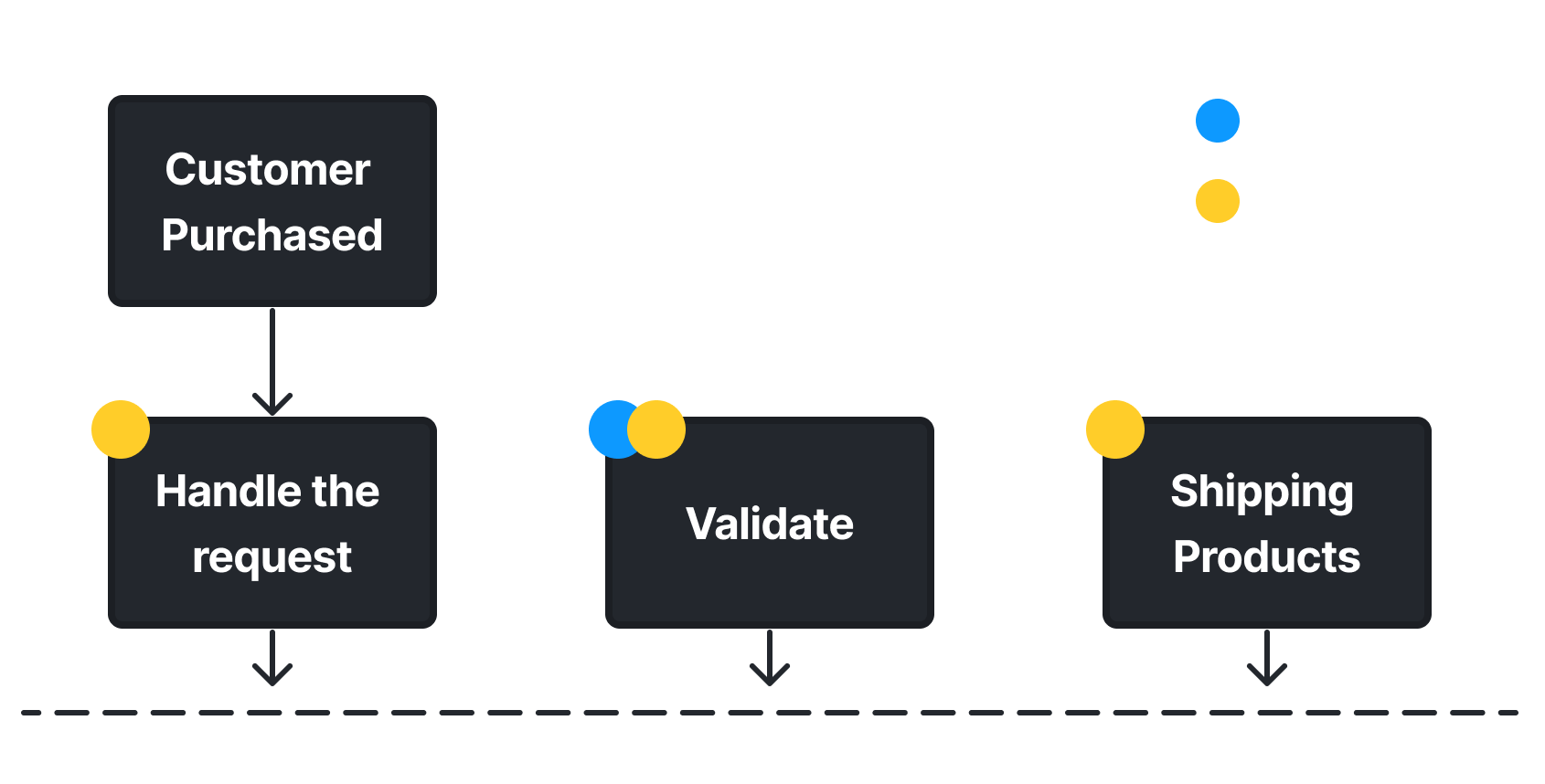
<Frame caption="Greip Payment Fraud Module - Workflow">
  <img src="https://mintcdn.com/greip/c6lrSS26RYZXvB76/images/payment-fraud-flow.png?fit=max&auto=format&n=c6lrSS26RYZXvB76&q=85&s=01e8f272989d21475b97ec9913e3db30" alt="Greip Payment Fraud Module - Workflow" width="1690" height="858" data-path="images/payment-fraud-flow.png" />
</Frame>

### Body Parameters

<ParamField body="data" type="object" placeholder="Data of the transaction" initialValue="key" required>
  <Expandable title="properties" defaultOpen={true}>
    <ResponseField name="action" type="string">
      The action your customer try to implement.

      Accepts: `purchase`, `deposit`, or `withdrawal`.
    </ResponseField>

    <ResponseField name="website_domain" type="string">
      The domain name of the website the customer trying to purchase from.

      Sample value: `domain.com`
    </ResponseField>

    <ResponseField name="website_name" type="string">
      The name of the website the customer trying to purchase from.

      Sample value: `Nike Store, California`
    </ResponseField>

    <ResponseField name="merchant_id" type="string|integer">
      If your a service provider with "sub-websites" (like Shopify), then provide a unique identification code indicating the website the customer trying to purchase from.

      Sample values: `12330098`, `01as-aowq-029jd`, or `abcdefg`.
    </ResponseField>

    <ResponseField name="shipment_id" type="string|integer|number">
      The identification code of the shipment.
    </ResponseField>

    <ResponseField name="transaction_id" type="string|integer|number">
      The identification code of the transaction in your system.
    </ResponseField>

    <ResponseField name="transaction_amount" type="string|number|float">
      The total amount of the transaction.
    </ResponseField>

    <ResponseField name="transaction_currency" type="string">
      The currency in which the customer pay with.

      Sample value: `GBP`
    </ResponseField>

    <ResponseField name="cart_items" type="string|integer|number">
      <Expandable title="properties">
        <ResponseField name="item_id" type="string|number|integer" />

        <ResponseField name="item_name" type="string" />

        <ResponseField name="item_quantity" type="string|integer" />

        <ResponseField name="item_quantity" type="integer" />

        <ResponseField name="item_price" type="string|float|integer" />

        <ResponseField name="item_category_id" type="string|number|integer" />
      </Expandable>
    </ResponseField>

    <ResponseField name="isDigitalProducts" type="boolean">
      Set this to true if the customer is purchasing a digital product.
    </ResponseField>

    <ResponseField name="coupon" type="string">
      The promo code used by the customer to complete the checkout.
    </ResponseField>

    <ResponseField name="customer_id" type="string|integer">
      The identification number of the customer in your system.
    </ResponseField>

    <ResponseField name="customer_firstname" type="string">
      The first name of the customer.
    </ResponseField>

    <ResponseField name="customer_lastname" type="string">
      The last name of the customer (Family Name).
    </ResponseField>

    <ResponseField name="customer_pob" type="string">
      The Place of Birth of the customer.
    </ResponseField>

    <ResponseField name="customer_ip" type="string">
      The IP address of the customer.
    </ResponseField>

    <ResponseField name="customer_country" type="string">
      The `ISO 3166-1 alpha-2` code format of the country where the customer live. [Learn more](https://en.wikipedia.org/wiki/ISO_3166-1_alpha-2)
    </ResponseField>

    <ResponseField name="customer_region" type="string">
      The name of the region where the customer live.
    </ResponseField>

    <ResponseField name="customer_city" type="string">
      The name of the city where the customer live.
    </ResponseField>

    <ResponseField name="customer_zip" type="string|integer|number">
      The name of the zip code of customer location.
    </ResponseField>

    <ResponseField name="customer_street" type="string">
      The "address line 1" of the customer.
    </ResponseField>

    <ResponseField name="customer_street2" type="string">
      The "address line 2" of the customer.
    </ResponseField>

    <ResponseField name="customer_latitude" type="integer|float">
      The customer latitude on the map (GPS Coordinates).
    </ResponseField>

    <ResponseField name="customer_longitude" type="integer|float">
      The customer longitude on the map (GPS Coordinates).
    </ResponseField>

    <ResponseField name="customer_device_id" type="string|integer|number">
      The device identification code of the customer.
    </ResponseField>

    <ResponseField name="customer_phone" type="string|integer|number">
      The phone number of the customer (international format).
    </ResponseField>

    <ResponseField name="customer_registration_date" type="integer">
      The registration date of the customer (UNIX Timestamp).
    </ResponseField>

    <ResponseField name="customer_balance" type="string|integer|float">
      If you offer a Wallet feature in your website, then pass the user balance to this pararmeter.
    </ResponseField>

    <ResponseField name="customer_dob" type="string">
      The customer's date of birth.

      Sample value: '1985-12-27\`
    </ResponseField>

    <ResponseField name="customer_email" type="string">
      The email address of the customer.
    </ResponseField>

    <ResponseField name="customer_2fa" type="boolean">
      Set this to true if the customer has 2FA enabled in his/her account.
    </ResponseField>

    <ResponseField name="customer_useragent" type="string">
      Pass the [User Agent](https://en.wikipedia.org/wiki/User_agent) of the customer to this parameter.
    </ResponseField>

    <ResponseField name="shipping_country" type="string">
      The shipping country code of the customer (in `ISO 3166-1 alpha-2` format).
    </ResponseField>

    <ResponseField name="shipping_region" type="string">
      The shipping region name of the customer.
    </ResponseField>

    <ResponseField name="shipping_city" type="string">
      The shipping city name of the customer.
    </ResponseField>

    <ResponseField name="shipping_zip" type="string|number|integer">
      The zip code of the customer's shipping address.
    </ResponseField>

    <ResponseField name="shipping_street" type="string">
      The shipping "address 1" of the customer.
    </ResponseField>

    <ResponseField name="shipping_street2" type="string">
      The shipping "address 2" of the customer.
    </ResponseField>

    <ResponseField name="shipping_latitude" type="integer|number|float">
      The latitude of the customer's shipping address (GPS Coordinates).
    </ResponseField>

    <ResponseField name="shipping_longitude" type="integer|number|float">
      The longitude of the customer's shipping address (GPS Coordinates).
    </ResponseField>

    <ResponseField name="billing_country" type="string">
      The billing country code of the customer (in `ISO 3166-1 alpha-2` format).
    </ResponseField>

    <ResponseField name="billing_region" type="string">
      The billing region name of the customer.
    </ResponseField>

    <ResponseField name="billing_city" type="string">
      The billing city name of the customer.
    </ResponseField>

    <ResponseField name="billing_zip" type="string|number|integer">
      The zip code of the customer's billing address.
    </ResponseField>

    <ResponseField name="billing_street" type="string">
      The billing "address 1" of the customer.
    </ResponseField>

    <ResponseField name="billing_street2" type="string">
      The billing "address 2" of the customer.
    </ResponseField>

    <ResponseField name="billing_latitude" type="integer|float">
      The latitude of the customer's billing address (GPS Coordinates).
    </ResponseField>

    <ResponseField name="billing_longitude" type="integer|float">
      The longitude of the customer's billing address (GPS Coordinates).
    </ResponseField>

    <ResponseField name="payment_type" type="string">
      The payment method used to complete this transaction.

      Accepted values: `cards`, `cards_mada`, `applepay`, `stcpay`, `bank`, `crypto`, `wallet`, or `cod`.
    </ResponseField>

    <ResponseField name="card_name" type="string">
      The name on the card (Cardholder Name).
    </ResponseField>

    <ResponseField name="card_number" type="string|number|integer">
      The card number (min: 6 digits).
    </ResponseField>

    <ResponseField name="card_expiry" type="string">
      The expiry date of the customer debit/credit card.

      Sample value: 29/05
    </ResponseField>

    <ResponseField name="cvv_result" type="boolean">
      Set this to true if the customer passed the CVV/CSV verification process.
    </ResponseField>
  </Expandable>
</ParamField>

<ParamField body="format" type="string" default="JSON" placeholder="Response format">
  The format command is used to get a response in a specific format.

  Expected values: `JSON`, `XML`, `CSV`, or `Newline`

  For more information please refer to [Response Format](/options/response-format).
</ParamField>

<ParamField body="mode" type="string" default="live" placeholder="Environment">
  The mode command is used to in the development stage to simulate the integration process before releasing it to the production environment.

  Expected values: `live`, or `test`.

  For more information please refer to [Development Environment](/options/development-environment).
</ParamField>

<ParamField body="userID" type="string" placeholder="User Identifier">
  The userID command can be used to identify requests sent by specific users to monitor in the [Events Page](/dashboard-guides/monitoring-capabilities/real-time-threat-monitoring).

  Expected values: email address, phone number, user id, name, etc.

  For more information please refer to [User Identifier](/options/user-identifier).
</ParamField>

<Panel>
  <MCPCallout />

  <Availability plan="Premium and above" color="purple" />

  <ResponseExample>
    ```json Success theme={null}
    {
      "data": {
        "score": 82,
        "rules": [
          {
            "id": "PF10003",
            "description": "Customer IP Address is probably VPN/Proxy/Bot/Hosting/Cloud."
          },
          {
            "id": "PF10004",
            "description": "Customer Email Address is probably invalid or spam."
          },
          {
            "id": "PF10001",
            "description": "High purchase rate, according to `customer_ip`."
          },
          {
            "id": "PF10002",
            "description": "High purchase rate, according to `customer_id`."
          },
          {
            "id": "PF10013",
            "description": "Customer device might not be a real device (according to `customer_useragent`)."
          },
          {
            "id": "PF10014",
            "description": "Customer device is registered as a high-risk device (according to `customer_useragent`)."
          }
        ],
        "rulesChecked": 21,
        "rulesDetected": 6,
        "custom_rules_applied": {
          "total": 0,
          "rules": []
        }
      },
      "status": "success",
      "executionTime": 5
    }
    ```

    ```json Error theme={null}
    {
      "status": "error",
      "code": 101,
      "type": "invalid_key",
      "description": "The API Key is missing or invalid."
    }
    ```
  </ResponseExample>
</Panel>

### Response properties

<ResponseField name="data" type="object" required>
  <Expandable title="properties" defaultOpen={true}>
    <ResponseField name="score" type="float">
      A risk-score from 0 to 100 indicating how risky this transaction is
      (`10.5` means it's `10.5% risky` to pass this transaction).
    </ResponseField>

    <ResponseField name="rules" type="array" required>
      <Expandable title="properties" defaultOpen={true}>
        <ResponseField name="id" type="string">
          The Id of the detected rule. (`10.5` means it's `10.5% risky` to pass
          this transaction).

          Sample value: `PF10003`
        </ResponseField>

        <ResponseField name="description" type="string">
          The full description of the detected rule.

          Sample value: `High purchase rate, according to "customer_id".`
        </ResponseField>
      </Expandable>
    </ResponseField>

    <ResponseField name="rulesChecked" type="integer" required>
      Total rules checked against the transaction.
    </ResponseField>

    <ResponseField name="rulesDetected" type="integer" required>
      Total rules detected in the transaction.
    </ResponseField>

    <ResponseField name="custom_rules_applied" type="object">
      The custom rules applied to this request, [learn
      more](/knowledge-base/custom-rules/overview).

      <Expandable title="properties" defaultOpen={true}>
        <ResponseField name="total" type="integer" required>
          The total number of custom rules applied to this request.
        </ResponseField>

        <ResponseField name="rules" type="object" required>
          The custom rules applied to this request, [learn
          more](/knowledge-base/custom-rules/overview).

          <Expandable title="properties" defaultOpen={true}>
            <ResponseField name="id" type="string" required>
              The rule ID as shown in the dashboard (e.g: `CR104`).
            </ResponseField>

            <ResponseField name="title" type="string" required>
              The rule title you set when creating the rule.
            </ResponseField>
          </Expandable>
        </ResponseField>
      </Expandable>
    </ResponseField>
  </Expandable>

  <ResponseField name="status" type="string" required>
    The response status.

    Expected values: `success`, or `error`.
  </ResponseField>

  <ResponseField name="executionTime" type="integer" required>
    Time spent in milliseconds to process the data.
  </ResponseField>
</ResponseField>

## Possible Rules

| Id      | Description                                                                                                                             |
| ------- | --------------------------------------------------------------------------------------------------------------------------------------- |
| PF1001  | High purchase rate, according to `customer_ip`.                                                                                         |
| PF1002  | High purchase rate, according to `customer_id`.                                                                                         |
| PF1003  | Customer IP Address is probably VPN/Proxy/Bot/Hosting/Cloud.                                                                            |
| PF1004  | Customer Email Address is probably invalid, disposable or spam.                                                                         |
| PF1005  | Customer Phone Number is probably invalid or spam.                                                                                      |
| PF1006  | Customer Latitude/Longitude is invalid.                                                                                                 |
| PF1007  | Customer card number (BIN/IIN) is invalid.                                                                                              |
| PF1008  | Customer debit/credit card issued by a brand different from the one exist in `payment_type` parameter.                                  |
| PF1009  | Customer country is a high-fraud country.                                                                                               |
| PF1010  | Customer debit/credit card issued in a high-risk country.                                                                               |
| PF1011  | Customer is purchasing multiple times from multiple locations within the past 30 days.                                                  |
| PF1012  | Customer debit/credit card is being used multiple times from multiple customer accounts (according to `customer_id` and `card_number`). |
| PF1013  | Customer device might not be a real device (according to `customer_useragent`).                                                         |
| PF1014  | Customer device is registered as a high-risk device (according to `customer_useragent`).                                                |
| PF1015  | AI flagged the transaction as potentially fraudulent.                                                                                   |
| PF1016  | AI flagged the transaction as potentially fraudulent due to high transaction amount.                                                    |
| PF1017  | Mismatch between billing address and IP geolocation.                                                                                    |
| PF1018  | Customer has multiple fraudulent transactions in the past 30 days.                                                                      |
| PF1019  | Unusual purchase amount compared to customer’s history.                                                                                 |
| PF1020  | Transaction initiated from a newly created account.                                                                                     |
| PF10021 | Multiple payment cards used by a single account within a short timeframe.                                                               |
| PF10022 | Customer IP address were found in one of your blacklists.                                                                               |
| PF10023 | Customer email address were found in one of your blacklists.                                                                            |
| PF10024 | Customer phone number were found in one of your blacklists.                                                                             |
| PF10025 | Customer card number were found in one of your blacklists.                                                                              |
| PF10026 | Customer Id were found in one of your blacklists.                                                                                       |