> ## Documentation Index
> Fetch the complete documentation index at: https://docs.greip.io/llms.txt
> Use this file to discover all available pages before exploring further.
# Upgrading Account Subscription
> Be part of our loyal family
In order to renew/upgrade your plan you need to follow these steps:
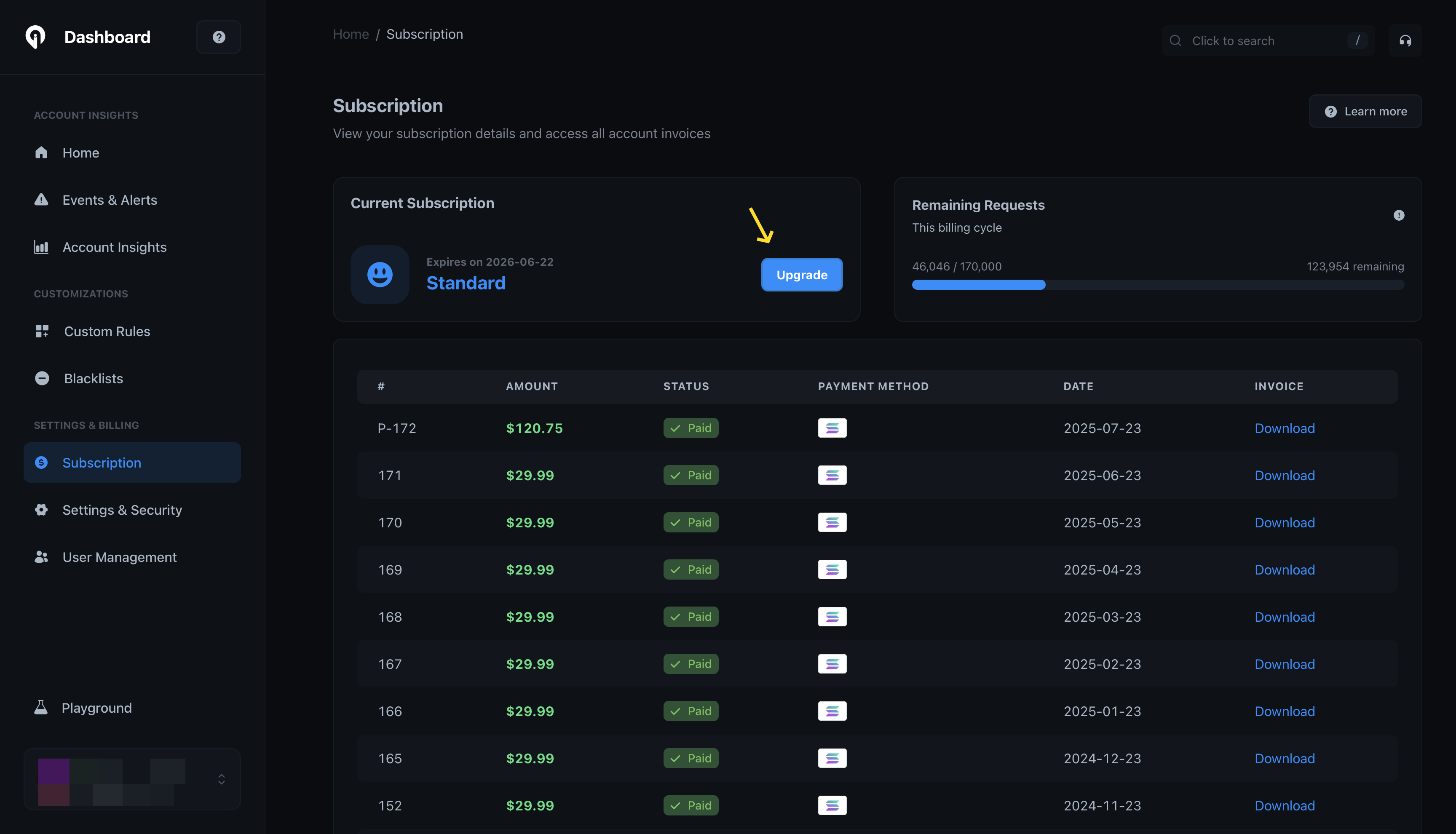
Go to the [Subscription page](https://dashboard.greip.io/subscription) from
the account dashboard.
Under the 'Current Subscription' section, click on the 'Upgrade' button as
shown below:
 Then, choose your plan & period then click 'Proceed to payment' to complete
the payment process.
If you prefer another payment method, feel free to [contact
us](mailto:support@greip.io).
Then, choose your plan & period then click 'Proceed to payment' to complete
the payment process.
If you prefer another payment method, feel free to [contact
us](mailto:support@greip.io).