> ## Documentation Index
> Fetch the complete documentation index at: https://docs.greip.io/llms.txt
> Use this file to discover all available pages before exploring further.
# Payout Settings
> A guide to set up your affiliate account to be ready for receive payouts
Once you become an affiliate partner at Greip, you should setup your payout settings so we can transfer your earnings as soon as you reach the account threshold. Let's dive into this:
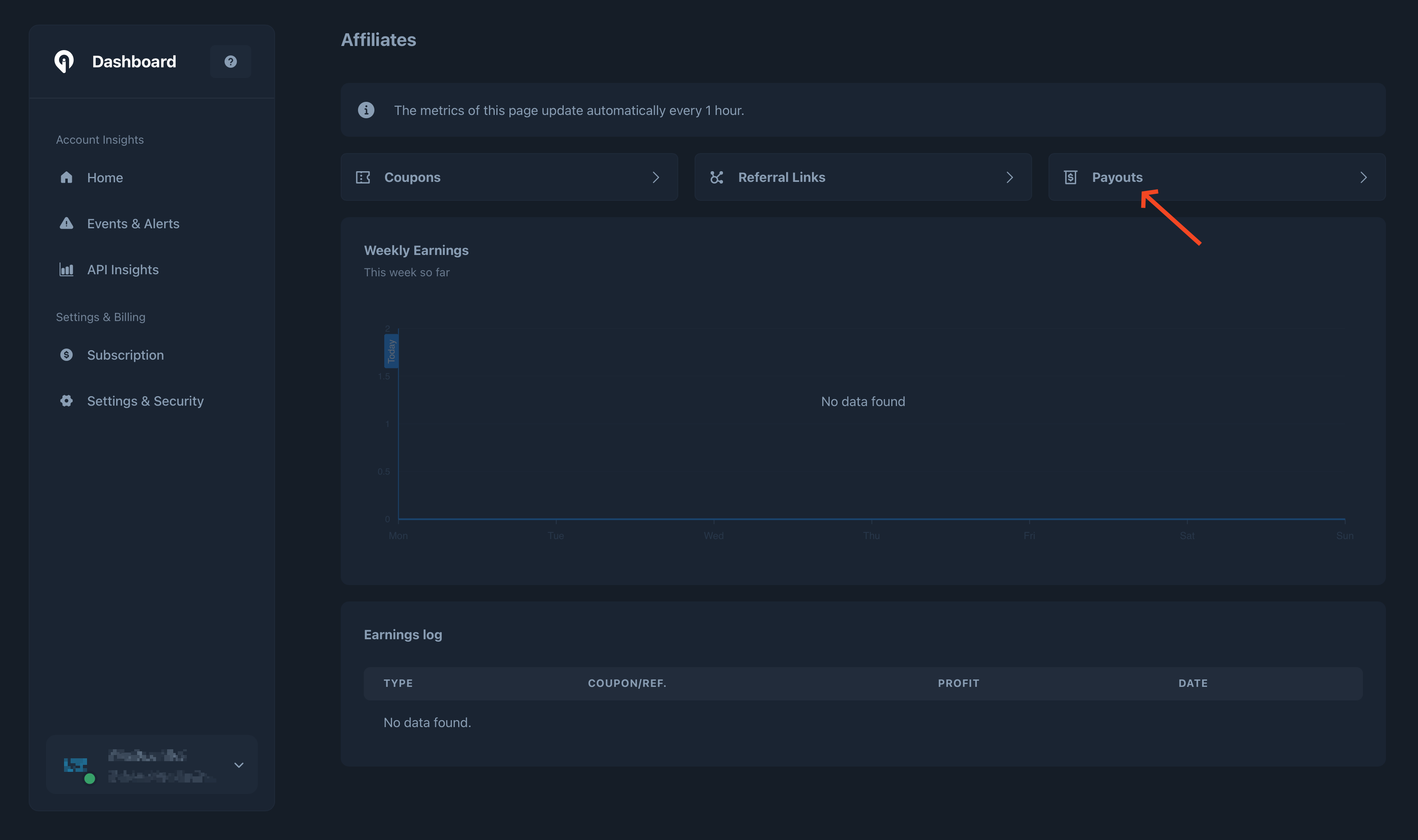
Go to the [Affiliate Partner Dashboard](https://dashboard.greip.io/affiliates) of your account
Click on the 'Payouts' button
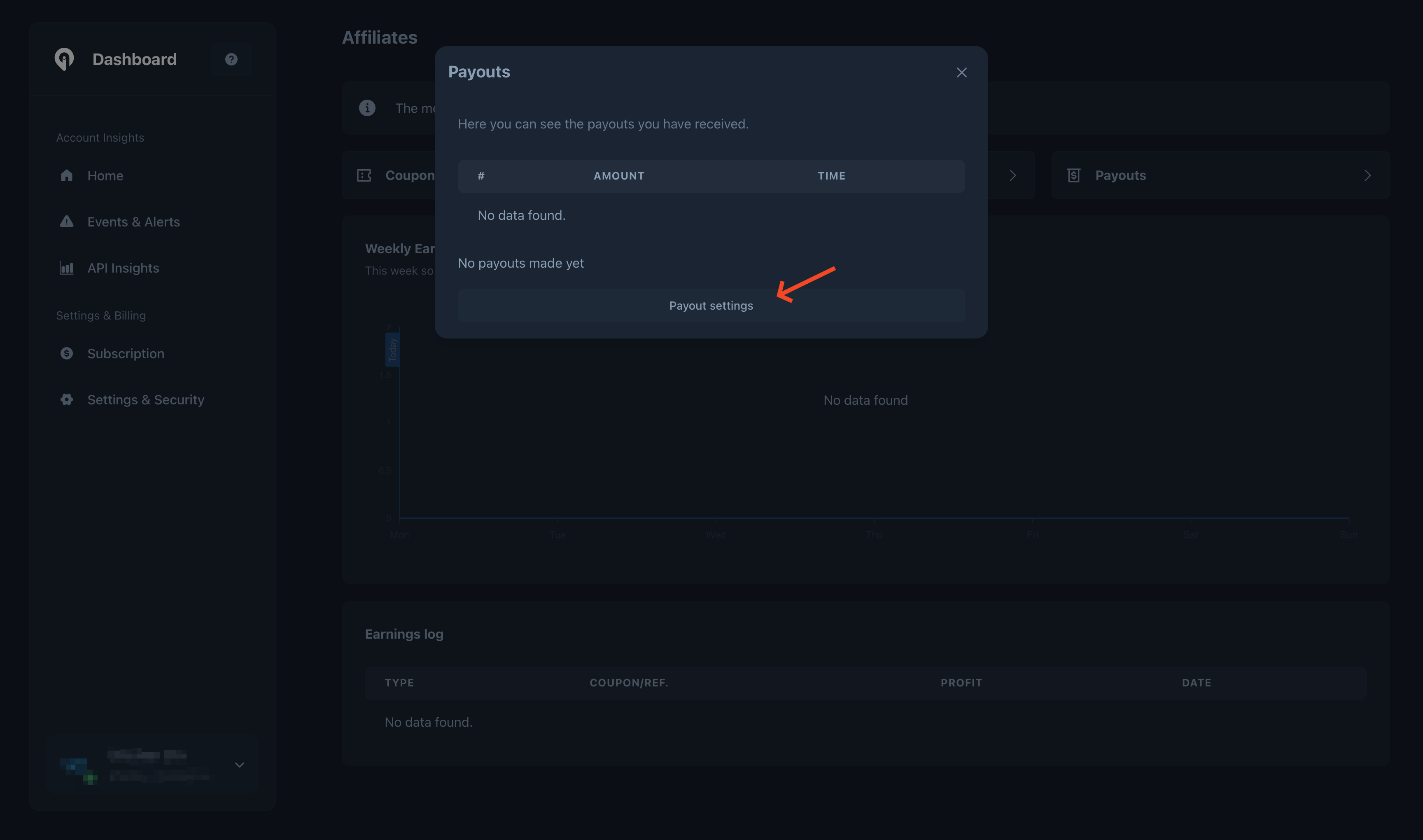
 Click on the 'Payouts settings' button to manage the settings
 Then you will need to provide the necessary information by filling in the fields.
Once you complete filling in the required fields, click on the 'Save changes' button, and you're ready to start promoting greip and earn commission rates 🎉
**What's next?**
* Create a new coupon from the Coupons section of the affiliates dashboard
* Create a new referral link from the Referral Links section of the affiliates dashboard
* Share the referral link/coupon with your audience, and keep an eye on the charts 🤑
Then you will need to provide the necessary information by filling in the fields.
Once you complete filling in the required fields, click on the 'Save changes' button, and you're ready to start promoting greip and earn commission rates 🎉
**What's next?**
* Create a new coupon from the Coupons section of the affiliates dashboard
* Create a new referral link from the Referral Links section of the affiliates dashboard
* Share the referral link/coupon with your audience, and keep an eye on the charts 🤑