> ## Documentation Index
> Fetch the complete documentation index at: https://docs.greip.io/llms.txt
> Use this file to discover all available pages before exploring further.
# User Identifier
> Identify source of the risk in your system!
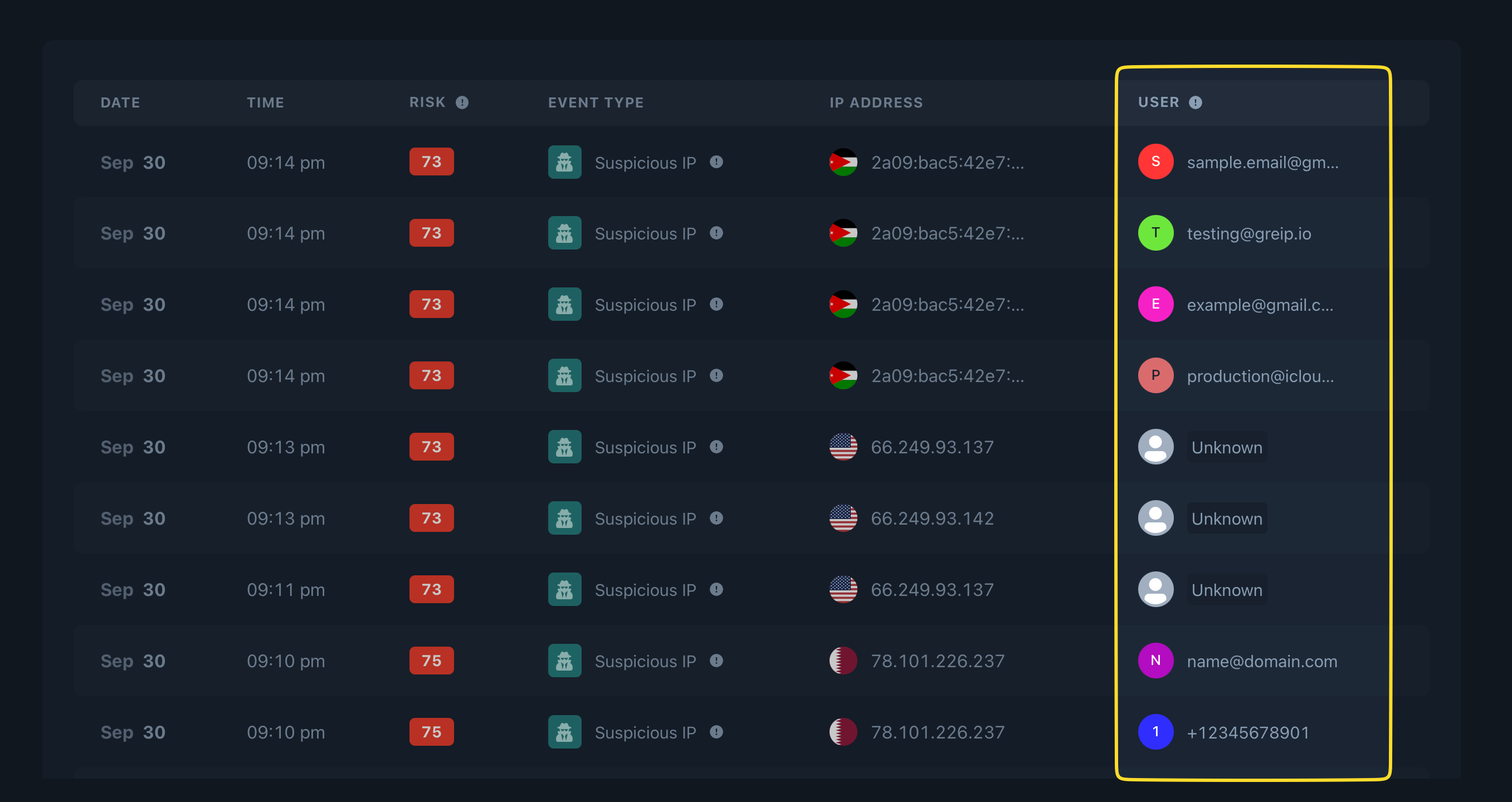
To identify users detected through our Dashboard, you need to include the userID parameter in the requests you send to Greip. Let's look at some examples to illustrate this:
```
https://gregeoip.io/IPLookup?key=your-api-key&ip=1.1.1.1&userID=john@example.com
```
```
https://gregeoip.io/IPLookup?key=your-api-key&ip=1.1.1.1&userID=John
```
When you include the userID parameter in your requests to the Greip API, it allows you to identify and track fraudulent activities (found on the [Events page](https://dashboard.greip.io/events)) associated with specific user information such as user name, email address, phone number, and more.
 **IMPORTAN NOTE**
There's no need to pass the userID parameter when you send [Payment Fraud Prevention](/api-reference/endpoint/scoring/payment) request to Greip API, as the User Identifier will be retreived from the input data you already pass, like `customer_email`, `customer_phone`, or `customer_id`.
**IMPORTAN NOTE**
There's no need to pass the userID parameter when you send [Payment Fraud Prevention](/api-reference/endpoint/scoring/payment) request to Greip API, as the User Identifier will be retreived from the input data you already pass, like `customer_email`, `customer_phone`, or `customer_id`.