The Events & Alerts page lists detections such as payment fraud, suspicious IPs, invalid IBANs, spam sign-ups, and profanity. Use filtering and search, open Event details by clicking a row, and triage work with disposition. Paid plans can export from the header or from inside the drawer.

Event Details and Risk Score
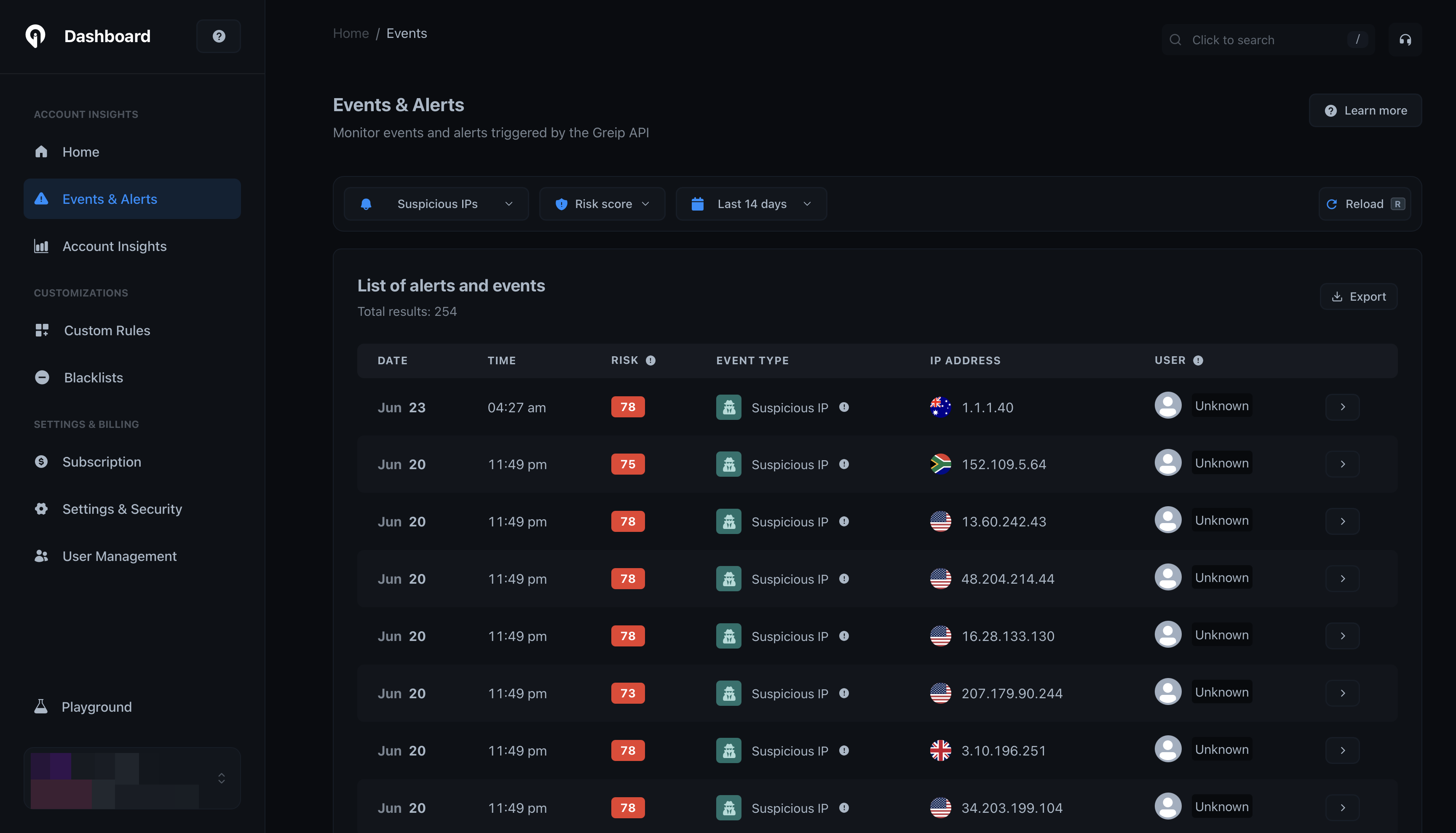
Greip Dashboard - Real-time event monitoring

Greip Dashboard - Real-time events & alerts monitoring

Upon accessing the Events & Alerts page, you’ll find a detailed breakdown of each event type detected by Greip. Each event is accompanied by relevant information and assigned a risk score. The risk score reflects the severity of the event and helps prioritize your focus on the most critical issues requiring attention.

Filtering and Search Capabilities

Greip Dashboard – Filtering Events and Alerts

Header controls set the time period and open filters for risk score, event type, disposition, and more. Filter state stays in the page URL so you can bookmark or share a view. See Filtering Events & Alerts.

Tips for effectively leverage the information of the Events & Alerts page

  1. Apply filters: Narrow results by risk score, event type, disposition, or time period (filtering guide).
  2. Open event details: Click a row for full context, API metadata, and disposition actions (view event details).
  3. Triage and respond: Update disposition for your team, then investigate or mitigate based on risk and patterns.
By effectively analyzing, investigating, and responding to events on the Events & Alerts page, you can enhance your fraud prevention efforts and maintain a secure environment for your business and customers.